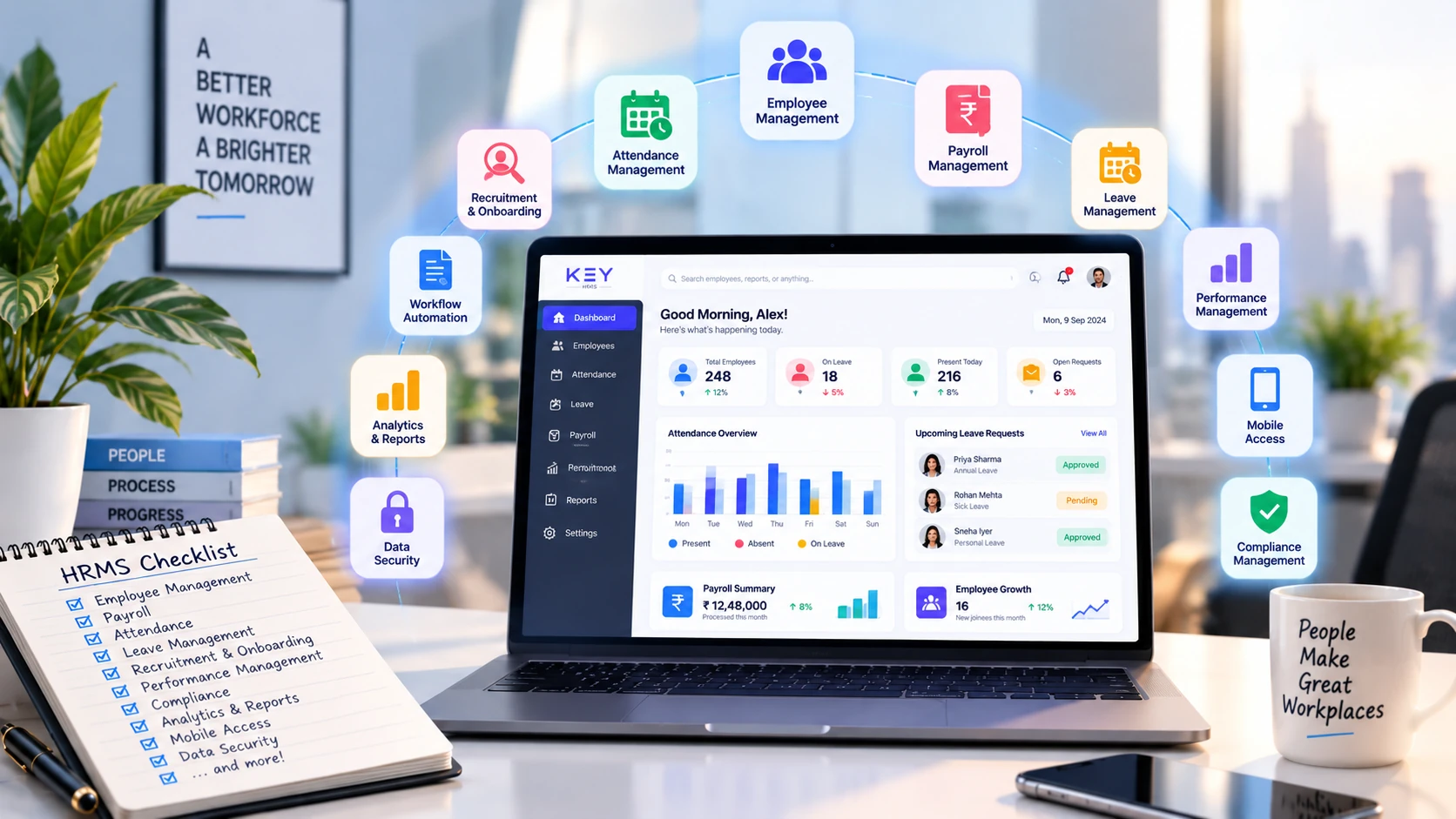
HRMS Features Checklist: 15 Essential Features Every Business Should Look For
Choosing the right Human Resource Management System (HRMS) is one of the most important decisions for any growing business. A modern HRMS helps organizations automate routine HR tasks, improve employee experience, streamline payroll, and ensure compliance — all while reducing administrative workload.
However, not all HRMS solutions offer the same capabilities. Before investing in an HRMS, businesses should evaluate whether it includes the features required to support current operations and future growth.
This HRMS Features Checklist covers the essential capabilities every business should consider when selecting an HRMS.
Why Choosing the Right HRMS Matters
As businesses grow, managing HR operations manually becomes increasingly difficult. Payroll, attendance, leave management, employee records, and compliance require significant time and effort when handled through spreadsheets or disconnected systems.
An HRMS centralizes all HR functions into a single platform, enabling organizations to improve efficiency, reduce errors, and make informed workforce decisions.
1. Employee Information Management
Every HRMS should provide a centralized employee database.
Look for features such as:
- Employee profiles
- Personal and professional information
- Document management
- Employment history
- Department and reporting structure
- Secure employee records
Centralized data eliminates duplicate records and makes employee information easily accessible.
2. Payroll Management
Payroll is one of the most critical HR functions.
A good HRMS should automate:
- Salary calculations
- Tax deductions
- PF & ESI calculations
- Overtime payments
- Bonuses and incentives
- Payslip generation
Automated payroll improves accuracy while reducing manual processing time.
3. Attendance Management
Accurate attendance tracking directly impacts payroll and workforce productivity.
Essential attendance features include:
- Real-time attendance tracking
- Biometric integration
- Mobile attendance
- Geo-location attendance
- Shift management
- Overtime calculation
An automated Attendance Management System helps eliminate manual attendance errors.
4. Leave Management
Managing employee leave manually often leads to confusion and delays.
A modern Leave Management System should allow businesses to:
- Create leave policies
- Track leave balances
- Approve leave requests
- Manage holidays
- View leave calendars
Employees should also be able to submit leave requests digitally.
5. Employee Self-Service Portal
An Employee Self-Service (ESS) portal empowers employees to manage their own HR activities.
Employees should be able to:
- Download payslips
- Apply for leave
- View attendance
- Update personal information
- Access company documents
This significantly reduces repetitive HR queries.
6. Recruitment and Onboarding
An HRMS should simplify hiring and onboarding.
Look for:
- Candidate tracking
- Interview scheduling
- Offer letter management
- Digital onboarding
- Employee document collection
A smooth onboarding process creates a positive employee experience from day one.
7. Performance Management
Tracking employee performance helps businesses improve productivity.
Useful features include:
- Goal setting
- Performance reviews
- Manager feedback
- Employee evaluations
- Performance reports
These tools support employee development and career growth.
8. Compliance Management
Staying compliant with labour laws is essential.
A good HRMS should assist with:
- PF compliance
- ESI compliance
- Professional Tax
- TDS calculations
- Labour law documentation
- Audit-ready reports
Automated compliance reduces legal risks and penalties.
9. Shift Scheduling
Businesses operating multiple shifts need flexible scheduling capabilities.
Key features include:
- Shift creation
- Rotational scheduling
- Weekly rosters
- Night shift management
- Overtime tracking
Shift automation improves workforce planning and attendance accuracy.
10. HR Analytics and Reports
Data-driven decisions help businesses optimize workforce performance.
Your HRMS should generate reports for:
- Payroll
- Attendance
- Leave
- Employee turnover
- Workforce trends
- HR productivity
Real-time analytics provide valuable business insights.
11. Mobile Accessibility
Today's workforce expects access from anywhere.
An ideal HRMS should offer:
- Mobile attendance
- Leave applications
- Payslip access
- Employee notifications
- Manager approvals
Mobile access improves employee convenience and engagement.
12. Workflow Automation
Automation reduces repetitive HR tasks.
Look for workflow automation features such as:
- Approval workflows
- Automated notifications
- Document approvals
- Payroll processing
- Employee onboarding workflows
Automation allows HR teams to focus on strategic initiatives rather than administrative work.
13. Data Security
Employee information is highly sensitive.
Ensure the HRMS includes:
- Role-based access
- Secure cloud storage
- Data encryption
- Backup and recovery
- Audit logs
Strong security protects confidential employee data.
14. Scalability
Choose an HRMS that grows with your business.
A scalable solution should support:
- Multiple locations
- Growing employee numbers
- Multiple departments
- Flexible organizational structures
- Future feature upgrades
Investing in scalable software prevents the need for frequent system changes.
15. Easy Integration
An HRMS should integrate seamlessly with other business systems.
Look for integrations with:
- Payroll systems
- Biometric devices
- Accounting software
- ERP solutions
- Communication platforms
Integrated systems eliminate duplicate work and improve operational efficiency.
Businesses looking for a comprehensive HRMS can benefit from KEY HRMS, which brings together payroll, attendance, leave management, employee records, onboarding, compliance, reporting, and employee self-service in a single platform. By automating everyday HR operations, organizations can improve productivity, reduce manual work, and build a more efficient workforce management process.
For a narrative walk-through of the same capabilities, see our guide to HRMS software features.
How to Choose the Right HRMS
Before selecting an HRMS, ask these questions:
- Does it automate payroll and attendance?
- Can employees access a self-service portal?
- Does it support compliance management?
- Is it scalable for future growth?
- Does it provide detailed HR reports?
- Can it integrate with existing business systems?
- Is employee data secure?
Using this checklist will help you choose software that meets your business needs today and supports future expansion.
Conclusion
An HRMS is more than just HR software — it's a strategic investment that improves operational efficiency, employee experience, and business growth. Choosing a solution with the right features ensures your HR team spends less time on repetitive administrative work and more time on strategic initiatives.
Before making a decision, use this HRMS Features Checklist to evaluate your options. A feature-rich HRMS with payroll, attendance, leave management, compliance, reporting, and employee self-service capabilities will help your organization streamline HR processes and stay prepared for future growth.
FAQs
What are the most important features of an HRMS?
The most important HRMS features include payroll management, attendance tracking, leave management, employee records, employee self-service, compliance management, reporting, and workflow automation.
Why is an Employee Self-Service portal important?
An Employee Self-Service portal allows employees to access payslips, apply for leave, view attendance, and update personal information without depending on HR, improving efficiency and employee satisfaction.
Can HRMS software automate payroll and attendance?
Yes. Modern HRMS software automates payroll calculations, attendance tracking, overtime, leave management, and statutory compliance, reducing manual work and improving accuracy.
Is HRMS suitable for small and growing businesses?
Absolutely. HRMS software helps businesses of all sizes streamline HR operations, improve productivity, reduce administrative workload, and scale efficiently as they grow.
How does KEY HRMS help businesses manage HR operations?
KEY HRMS provides an integrated platform that automates payroll, attendance, leave management, employee records, onboarding, compliance, reporting, and employee self-service, helping businesses simplify workforce management.